SteamOS Beyond Steam Deck: Are Handheld Gaming PCs Ready to Leave Windows?
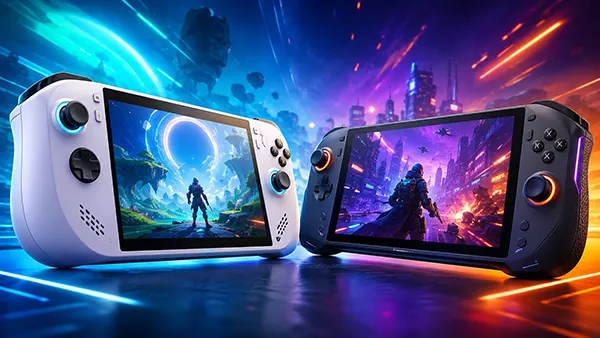
For several years, the operating system question on a handheld gaming PC was barely a question at all: manufacturers installed Windows because it offered the widest access to PC games, launchers and accessories. Steam Deck changed expectations by showing that a Linux-based system could make a small PC feel closer to a dedicated games machine, yet that success remained tied to Valve’s own hardware. By 2026, the situation is more significant. Lenovo has sold the Legion Go S with SteamOS, Valve has expanded support for AMD-powered devices outside the Deck family, and Lenovo has announced a higher-end Legion Go model built around the same software. At the same time, Microsoft has introduced Xbox mode for Windows 11, giving handheld owners a controller-focused full-screen interface and reducing some of the background activity that made earlier Windows devices awkward to use. Handheld PCs are therefore ready to move away from treating Windows as the automatic choice, but they are not ready to abandon it in every case. The right answer now depends less on raw hardware and more on a player’s library, subscriptions, multiplayer habits and tolerance for occasional setup work.
SteamOS Has Become a Real Choice Beyond Valve Hardware
The arrival of the Lenovo Legion Go S Powered by SteamOS in 2025 was the first decisive step beyond Steam Deck. It was not simply a community installation or an unofficial Linux image adapted by enthusiasts. Lenovo sold a commercial handheld with Valve’s approval, device-specific support and SteamOS installed from the factory. That distinction matters because a handheld operating system must handle far more than launching games. It needs reliable controls, correct screen orientation, audio, wireless connections, power limits, sleep behaviour, firmware updates and recovery tools. When these elements are tested as one product, the owner is less likely to spend the first evening solving driver problems. Valve’s SteamOS information for hardware makers also confirms that the company is working with selected partners rather than releasing one universal image and claiming that every portable PC will work perfectly. This cautious expansion has made progress slower than some enthusiasts wanted, but it has also reduced the risk of SteamOS becoming associated with inconsistent results across dozens of devices.
SteamOS 3.8 strengthened that direction during 2026 by improving compatibility with additional AMD-powered handheld and desktop PCs. Valve now provides instructions for people who want to test SteamOS on compatible hardware and send feedback, although official support is still narrower than the range of machines on which the software may start and run. This is an important difference for buyers. A ROG Ally, an original Legion Go or another AMD handheld may be able to use SteamOS successfully, but installation quality can vary because buttons, speakers, fingerprint readers, standby behaviour or vendor utilities were designed around Windows. A device carrying the Powered by SteamOS label should offer a more predictable experience than a do-it-yourself conversion. The expansion is therefore real, but it remains controlled. SteamOS is moving towards a broader hardware family rather than becoming a universal replacement image for every small PC on the market.
Lenovo’s second SteamOS announcement showed that the idea is no longer limited to affordable or mid-range hardware. At CES 2026, the company presented the Legion Go Powered by SteamOS with an 8.8-inch OLED display, detachable controllers, a 74Wh battery and configurations reaching an AMD Ryzen Z2 Extreme processor, 32GB of memory and a 2TB SSD. Lenovo announced a starting price of $1,199 and expected availability from June 2026, although its US product page was still marked “Available Soon” when checked in July. The timing may change by market, but the larger point is already clear: a manufacturer is willing to place SteamOS on a premium handheld rather than reserving it for a cheaper Steam Deck alternative. That gives Valve’s system a chance to prove itself on faster hardware with a high-refresh OLED screen, a large battery and detachable controls, while also giving buyers a direct comparison with Windows versions of closely related machines.
Why SteamOS Fits a Handheld Better Than a Desktop-First System
SteamOS is designed around the assumption that the player is holding a controller rather than sitting at a desk with a mouse and keyboard. The system starts in a full-screen gaming interface, keeps the library, store, downloads, cloud saves, friends, recordings and settings within reach, and presents most common actions through large controls that are easy to use on a seven- or eight-inch display. Performance limits, frame-rate caps and display options can be adjusted without leaving the game. That does not make SteamOS simpler in every situation, but it makes routine handheld use more coherent. A new owner can sign in, download a compatible game and begin playing without moving between the Windows desktop, a manufacturer’s control utility, the Xbox app, Steam and several overlapping menus. The benefit is not a higher specification on paper; it is the removal of small interruptions that become frustrating when the device is used for short sessions on a train, sofa or lunch break.
Efficiency is another reason SteamOS suits portable hardware. Comparisons performed on the Legion Go S using the same device and the same Steam games have shown that SteamOS can produce higher frame rates and longer battery life than Windows in a number of titles. The size of the advantage is not fixed. It changes with the game, power setting, driver version and graphics options, and some titles may perform similarly on both systems. Even so, the pattern is meaningful because handheld processors operate within strict power and heat limits. An operating system that leaves more memory and processor time available for the game can improve smoothness without requiring a faster chip. Lower background activity can also help lighter games run for much longer between charges. Buyers should not expect SteamOS to turn modest hardware into a premium machine, but it can allow a handheld to use its existing components more effectively.
Quick suspend and resume is often more valuable than a benchmark result. On a SteamOS handheld, pressing the power button can pause a supported game and return to it later with far less ceremony than closing software, waiting for Windows standby and hoping the device has not consumed a large part of its battery in a bag. This console-like behaviour changes how the machine is used: a ten-minute session becomes practical because stopping and continuing takes seconds. System and driver updates are also delivered through a more unified process on officially supported hardware. SteamOS still includes a conventional Linux desktop for web browsing, file management and additional software, but that mode is secondary. People who spend most of their time in Steam gain a focused experience; people who frequently install external launchers, modify files or use desktop applications will encounter more manual steps and may prefer the flexibility of Windows.
Windows Still Offers the Broadest Game and Service Access
Windows remains the safest choice for a buyer who wants the broadest possible PC library with the least uncertainty. SteamOS can run a large number of Windows games through Proton, Valve’s compatibility layer, and many titles work without the player needing to understand how that process functions. However, Windows games are still developed and tested primarily for Microsoft’s operating system. Native access matters when a game depends on a particular launcher, media component, copy-protection method, mod manager or peripheral utility. Windows also provides direct access to the Microsoft Store, PC Game Pass downloads, Epic Games Store, EA app, Ubisoft Connect, Battle.net and many smaller services. Some of these can be made to work on SteamOS through desktop tools or community launchers, but the setup is less consistent and updates can occasionally break a previously working arrangement. For players with libraries spread across several stores, Windows reduces friction even when its handheld interface is less elegant.
Competitive multiplayer remains the clearest compatibility barrier for SteamOS. Proton supports common anti-cheat systems such as Easy Anti-Cheat and BattlEye, but support is not automatic for every game. The developer must enable and configure it, and Valve’s own documentation states that kernel-level anti-cheat components are not supported. As a result, some major online games still refuse to run on SteamOS even though their graphics and controls would otherwise work. This is not a problem that a buyer can solve by changing a setting. The decision belongs to the publisher and may also reflect security policy, support costs or concerns about cheating. A player whose weekly routine revolves around one competitive title should check that specific game before buying a SteamOS-only device. General statements such as “most Steam games work” are not enough when the one game that matters is among the exceptions.
Windows also makes more sense when the handheld will serve as a small general-purpose computer. Docked to a monitor, keyboard and mouse, a Windows device can run work software, specialist utilities, printer tools, creative applications and hardware configuration programs with the same familiarity as a laptop. SteamOS has a capable desktop mode, but Linux versions do not exist for every commercial application, and web alternatives may not cover advanced needs. Accessories can create a similar divide. Standard USB controllers, storage and displays usually work on both systems, while RGB tools, firmware updaters, docking features and vendor-specific accessories may expect Windows. This does not make SteamOS unsuitable for desktop tasks; it means its strongest argument is gaming focus. A person buying one machine for both play and work may reasonably accept a less polished handheld interface in exchange for fewer restrictions elsewhere.
Microsoft Has Made Windows More Handheld-Friendly
The Windows experience on a 2026 handheld should not be judged only by the first generation of ROG Ally and Legion Go devices. Microsoft introduced a full-screen experience on handhelds in late 2025 and renamed it Xbox mode as the feature expanded during 2026. Xbox mode starts with a controller-optimised home screen, places recently played games and the wider library within easy reach, and lets the user return to the normal Windows desktop when needed. It can bring together installed games from Xbox and other major PC stores instead of forcing the player to remember which launcher owns each title. Microsoft also changed startup behaviour so that non-essential applications can be delayed while the handheld is in gaming mode. This reduces some of the background load that previously weakened performance, battery life and responsiveness.
These changes narrow SteamOS’s strongest usability advantage. On supported Windows handhelds, owners can boot into a gaming-focused screen, use a controller for common actions and avoid seeing the desktop during an ordinary play session. Devices such as the ROG Xbox Ally were built around this approach, and Microsoft has continued to improve docking, game profiles, library management and Game Bar functions. Yet Xbox mode does not remove Windows underneath. Updates may still arrive through Windows Update, the Microsoft Store, the Xbox app, graphics software and a manufacturer’s utility. Pop-ups, account prompts or desktop dialogue boxes can still appear when a game or launcher needs attention. The experience is better organised than it was in 2023, but it remains a gaming layer placed over a full PC operating system rather than a system designed from the beginning around handheld controls.
For many buyers, that compromise is entirely reasonable. Windows now offers a more comfortable controller interface while retaining native access to Game Pass, multiplayer titles, third-party stores and desktop software. It is especially persuasive on powerful handhelds that are frequently docked or used as a travel computer. SteamOS still tends to feel more immediate when the device is used only for Steam games, but Microsoft no longer leaves manufacturers to solve the entire interface problem alone. This competition is useful because it changes the question from “Why is Windows so awkward here?” to “Which set of compromises better matches this owner?” SteamOS leads in focus, standby behaviour and simplicity; Windows leads in reach, familiarity and service access. The gap is now smaller, even though the two systems still serve different priorities.
Are Handheld Gaming PCs Ready to Leave Windows Behind?
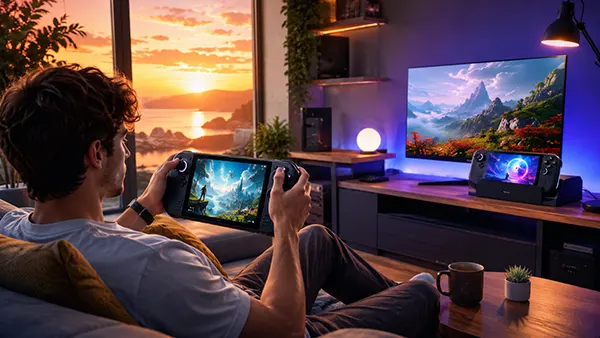
For a Steam-first player, the answer can already be yes. Someone who mainly plays single-player releases, independent games, emulated classics and verified Steam titles is likely to value quick resume, a clean controller interface and efficient low-power operation more than access to every Windows utility. SteamOS is particularly convincing when it comes pre-installed on officially supported hardware, because the owner receives a product rather than a personal Linux project. The Legion Go S demonstrated that Valve’s software can work beyond the Deck, and Lenovo’s premium 2026 model indicates that manufacturers see demand at more than one price level. A buyer should still check favourite games and required accessories, but choosing SteamOS no longer means accepting experimental software or outdated hardware.
For a player centred on PC Game Pass, competitive multiplayer or several non-Steam stores, leaving Windows is harder to justify. SteamOS can access more than the Steam store, but “possible” and “convenient” are not the same. Installing a community launcher, adjusting compatibility settings and repeating the process after an update may be acceptable to an enthusiast, yet it undermines the simple console-like experience that makes SteamOS attractive. Windows also remains the fallback for new games with uncertain Proton support, unusual copy protection or launch-day technical problems. The practical decision should be based on the games already owned and played, not on a general preference for Linux or Microsoft. A handheld is successful when it makes a real library easier to use, not when it wins an argument about operating systems.
Manufacturers are also unlikely to remove Windows from their ranges. Microsoft’s system remains familiar to retailers, support teams, accessory makers and a large part of the PC audience. It allows one device to be marketed as both a games machine and a compact computer, and it avoids the need to explain compatibility limitations before purchase. SteamOS, however, gives hardware companies a second route. They can offer one model for maximum software access and another for buyers who want a focused gaming experience. Closely related Windows and SteamOS editions also create useful pressure: if the SteamOS version delivers smoother performance or better battery life on similar hardware, Microsoft and the manufacturer have a clear reason to reduce background activity and improve power management. The result is not a rapid disappearance of Windows but a market in which it must earn its place.
The Most Likely 2026 Outcome Is Choice, Not Replacement
SteamOS is becoming the natural option for handhelds designed primarily as portable Steam machines. Valve has a large game catalogue, a mature compatibility system, clear ratings for SteamOS devices and years of experience refining controls, standby and power tools on Steam Deck. Expansion to selected partner hardware allows the company to keep those strengths while giving buyers access to larger screens, newer processors, detachable controllers and bigger batteries. The approach is still selective, and officially supported models remain a small part of the total handheld market, but the direction is credible. SteamOS has moved from being a special feature of one successful product to becoming software that another major PC manufacturer is willing to use across multiple generations.
Windows will remain essential because PC gaming is broader than Steam. Its value is strongest where subscriptions, competitive games, mods, accessories and desktop applications overlap. Xbox mode makes that flexibility easier to manage with a controller, and Microsoft’s work on reduced startup activity shows that it understands why handheld owners were dissatisfied. Future Windows devices may close more of the efficiency and usability gap, especially when manufacturers coordinate updates and controls more carefully. SteamOS will also continue to improve hardware support and game compatibility. Neither side is standing still, so a permanent technical verdict would be misleading. The more useful expectation is that both systems will become better while keeping different strengths.
The clearest answer in 2026 is that handheld gaming PCs are ready to leave Windows behind as a requirement, not as an option. SteamOS is ready for buyers whose libraries fit it and who want their handheld to behave like a dedicated games machine. Windows is still the better choice for users who need unrestricted store access, native PC Game Pass downloads, demanding multiplayer support or a full desktop computer in the same device. A well-informed buyer no longer needs to accept Windows by default, and that change is already reshaping product design. The future of handheld PCs is therefore unlikely to belong to one operating system. It will belong to devices that make the trade-offs clear and let players choose the software that suits the way they actually play.